



35+ power tools for NotebookLM
Generate quizzes, flashcards, and slides without leaving the extension. Search across every notebook. Organize with folders, saved prompts, and bulk import — so you spend time researching, not fighting your tools.
Loved by 80,000+ NotebookLM users
No signup. No account. Just install and go.
As featured in

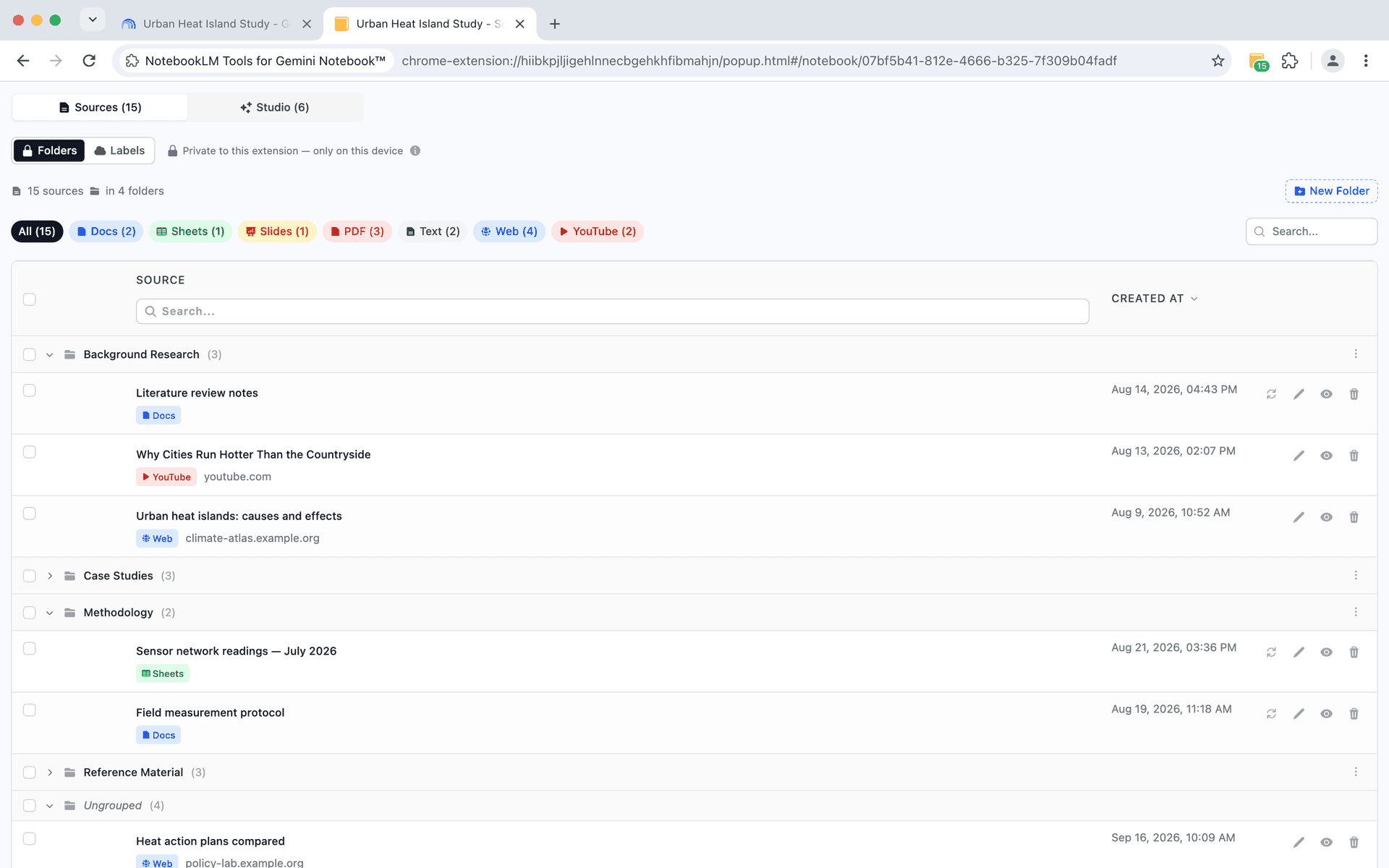
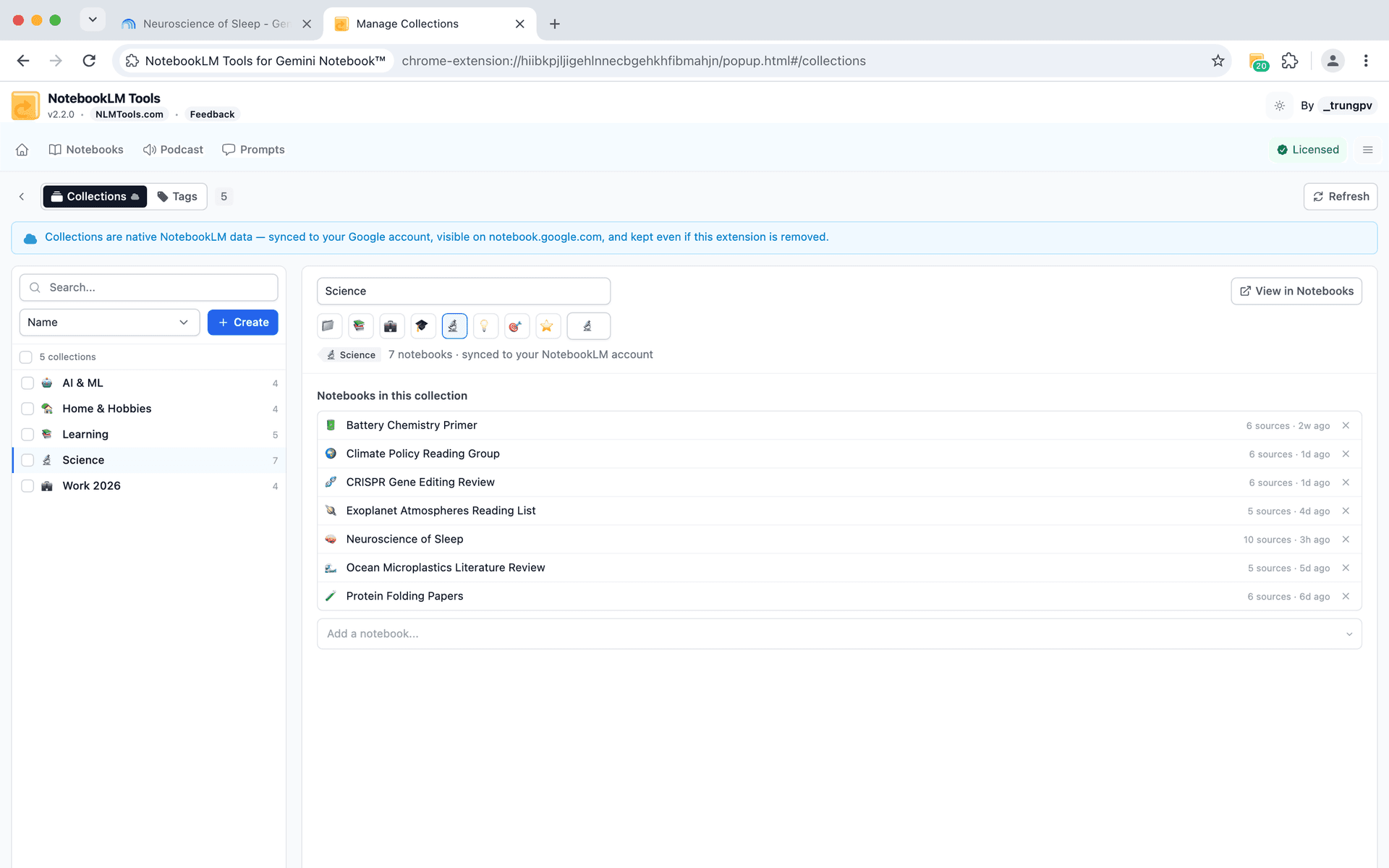
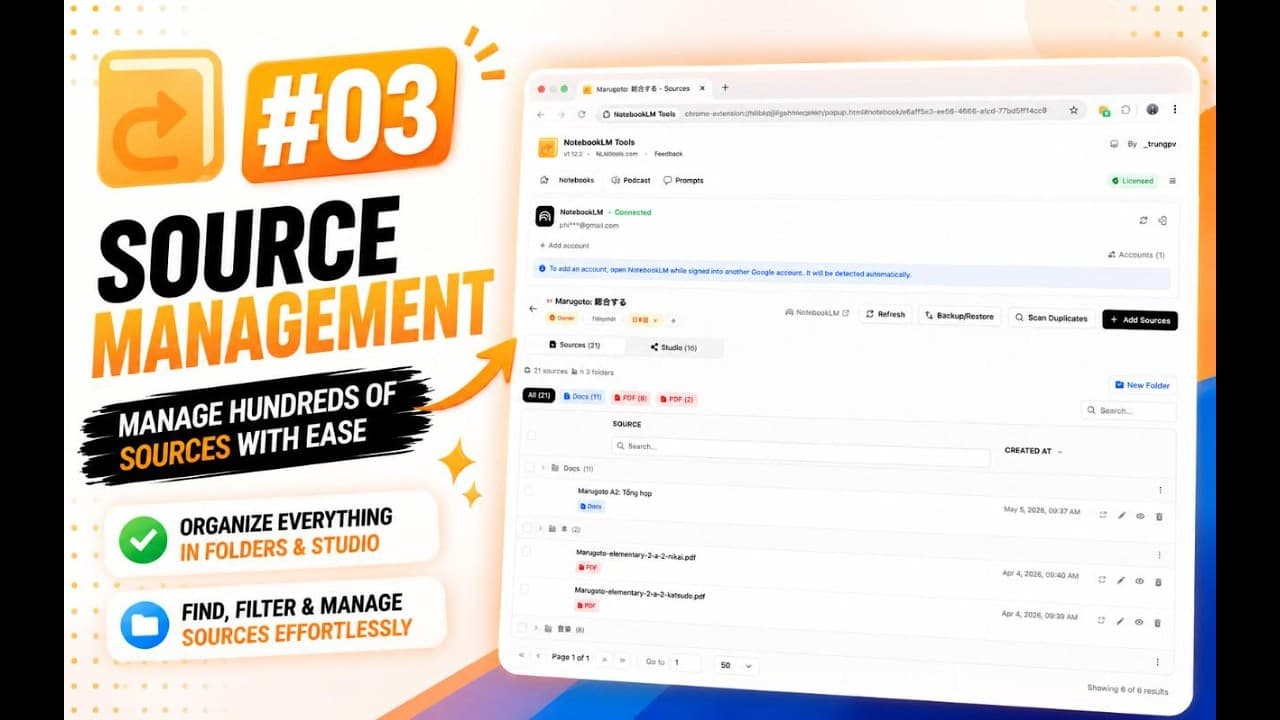
Group sources into folders — just drag and drop
NotebookLM dumps all sources into one flat list. Folders let you group related sources — research papers here, interviews there — so you can find anything in seconds.
- Create up to 50 folders per notebook
- Drag and drop sources between folders
- Color-code folders for visual organization
- Collapse folders to reduce clutter
- Bulk-move sources across folders
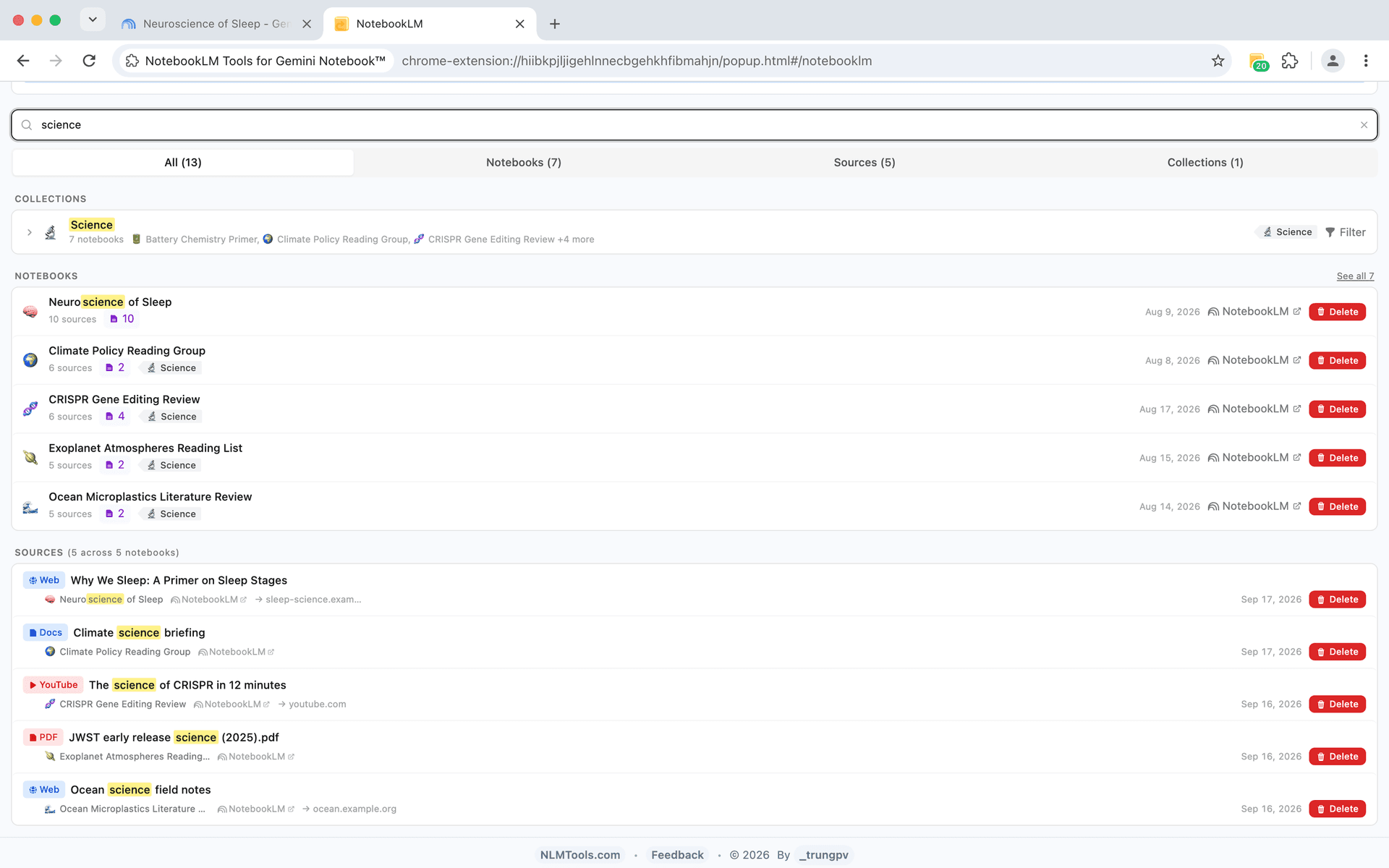
Search across every notebook and source in one place
Stop opening notebooks one by one. Cross-Notebook Search lets you find any notebook or source from a single search bar — with filters, highlighting, and tabbed results.
- One search bar for all your notebooks and sources
- Tabbed results: All, Notebooks, and Sources
- Filter by source type (PDF, URL, Drive, YouTube, etc.)
- Text highlighting shows exactly where matches appear
- Paginated results for large collections

What Users Say
“This is just what I needed. It has significantly improved my NotebookLM workflow.”
— Yoshiaki
Researcher
“It worked like a charm.”
— nitin d
NotebookLM User
“Very good extension, easy to use.”
— Eduardo Goig Alique
NotebookLM User
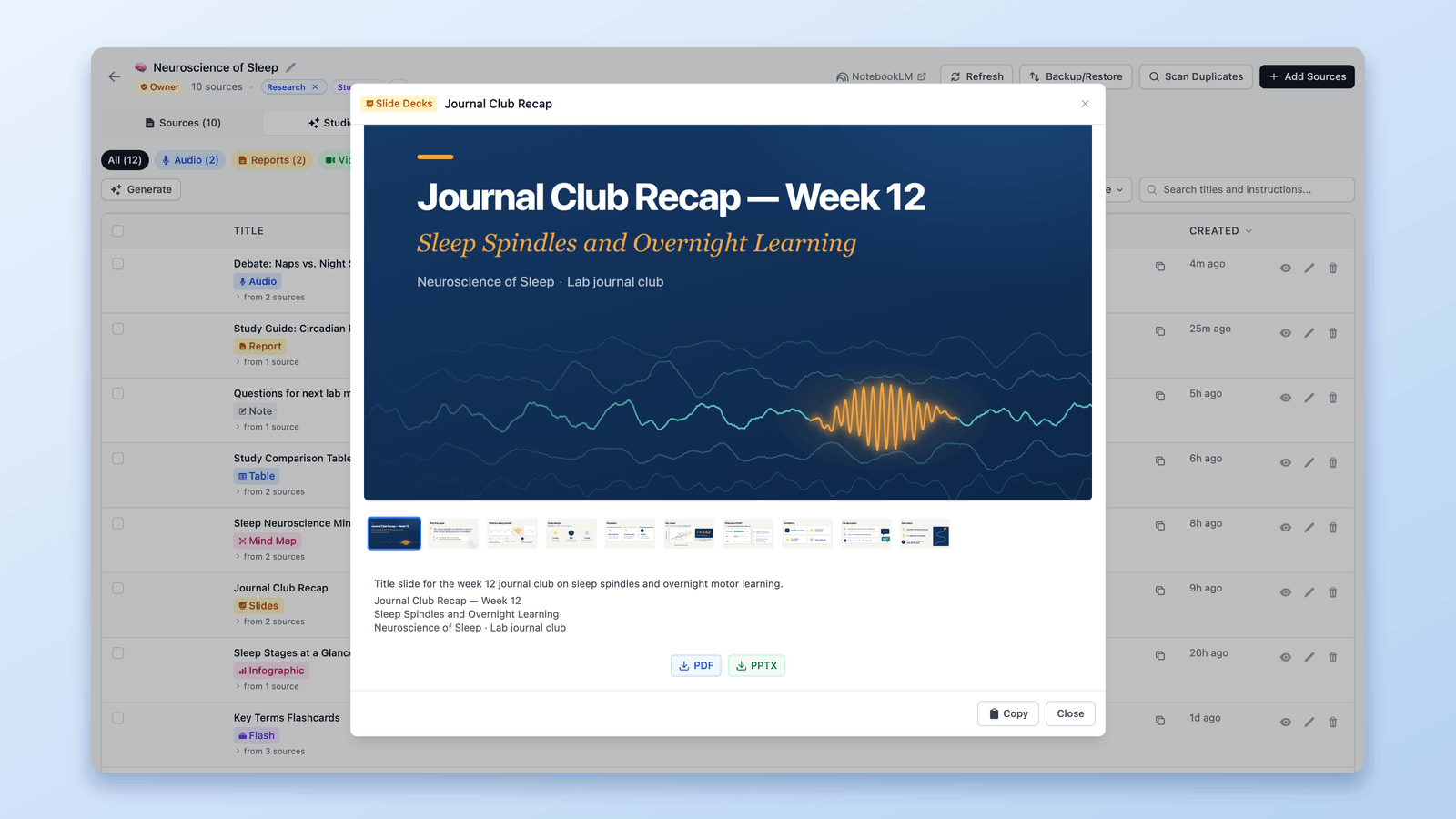
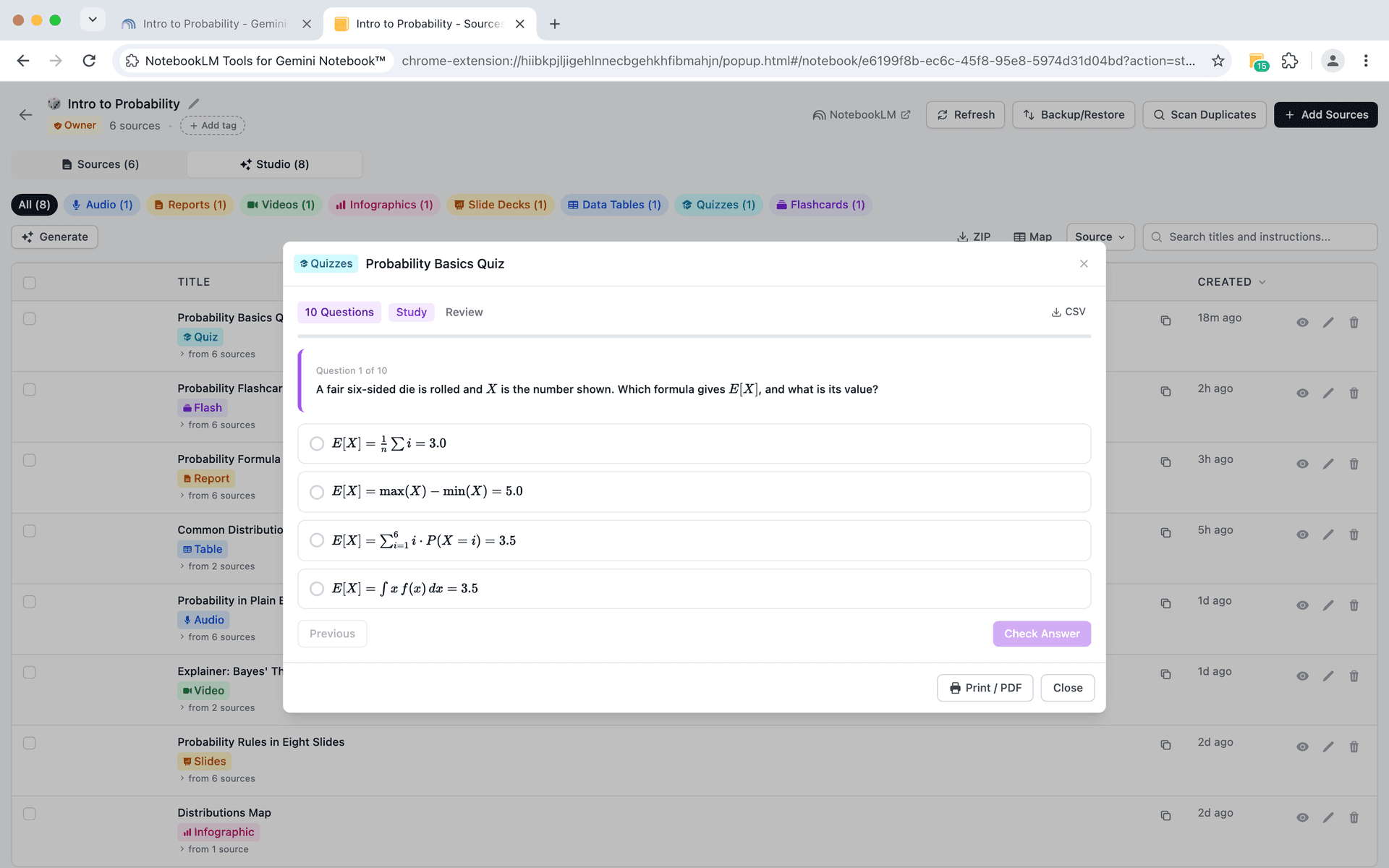
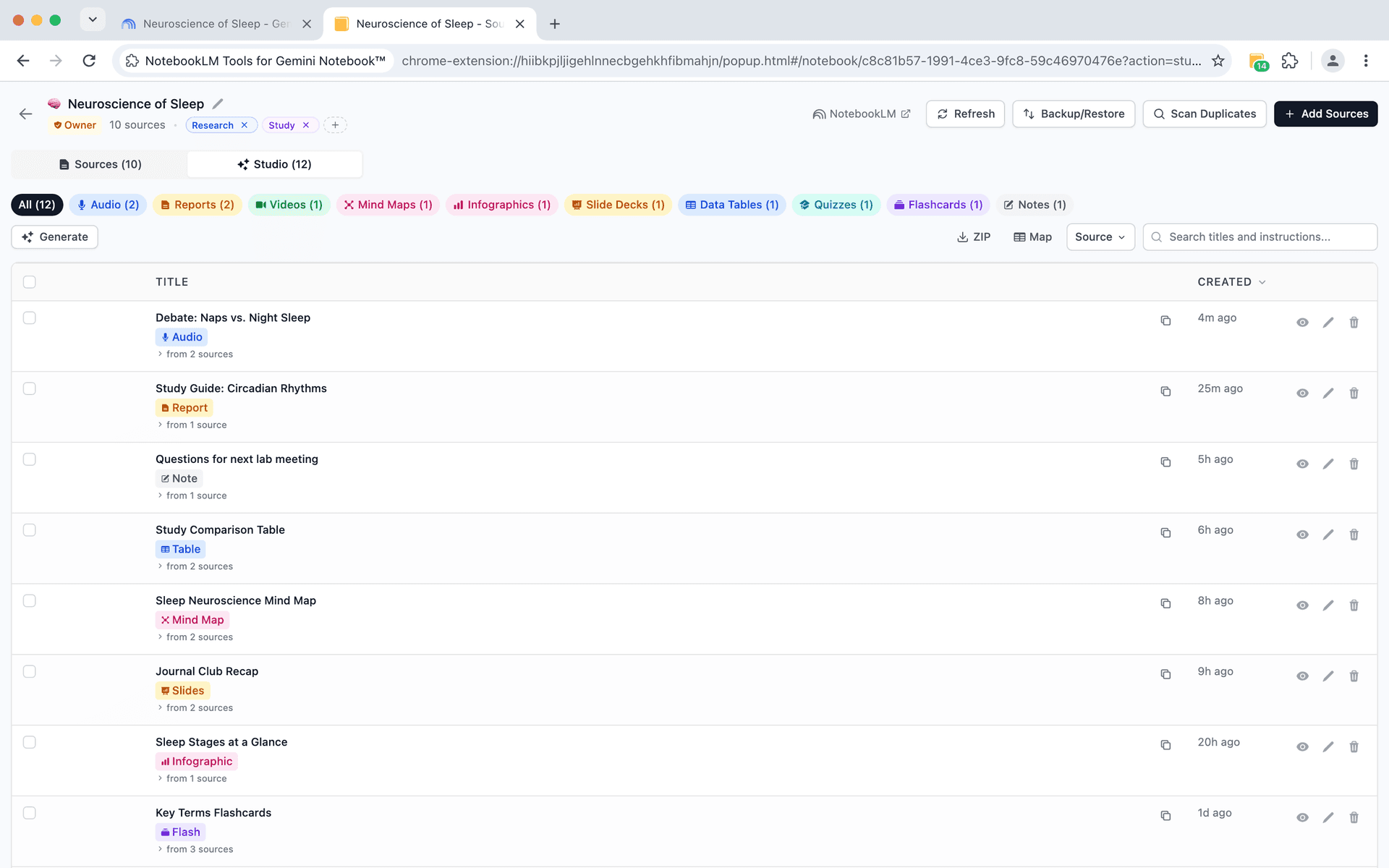
Flashcards, quizzes, mind maps, slides — all inside the extension
NotebookLM generates 10+ types of studio items. View, interact with, and export all of them without leaving the page.
- Interactive quizzes with answer checking and score tracking
- Flashcard study mode with shuffle, flip, and self-rating
- Mind maps, infographics, and data tables viewable inline
- Slide deck viewer with filmstrip navigation and PDF/PPTX download
- Video player with speed controls, progress bar, and download
- Export studio items as ZIP, rename, filter by type, or bulk delete

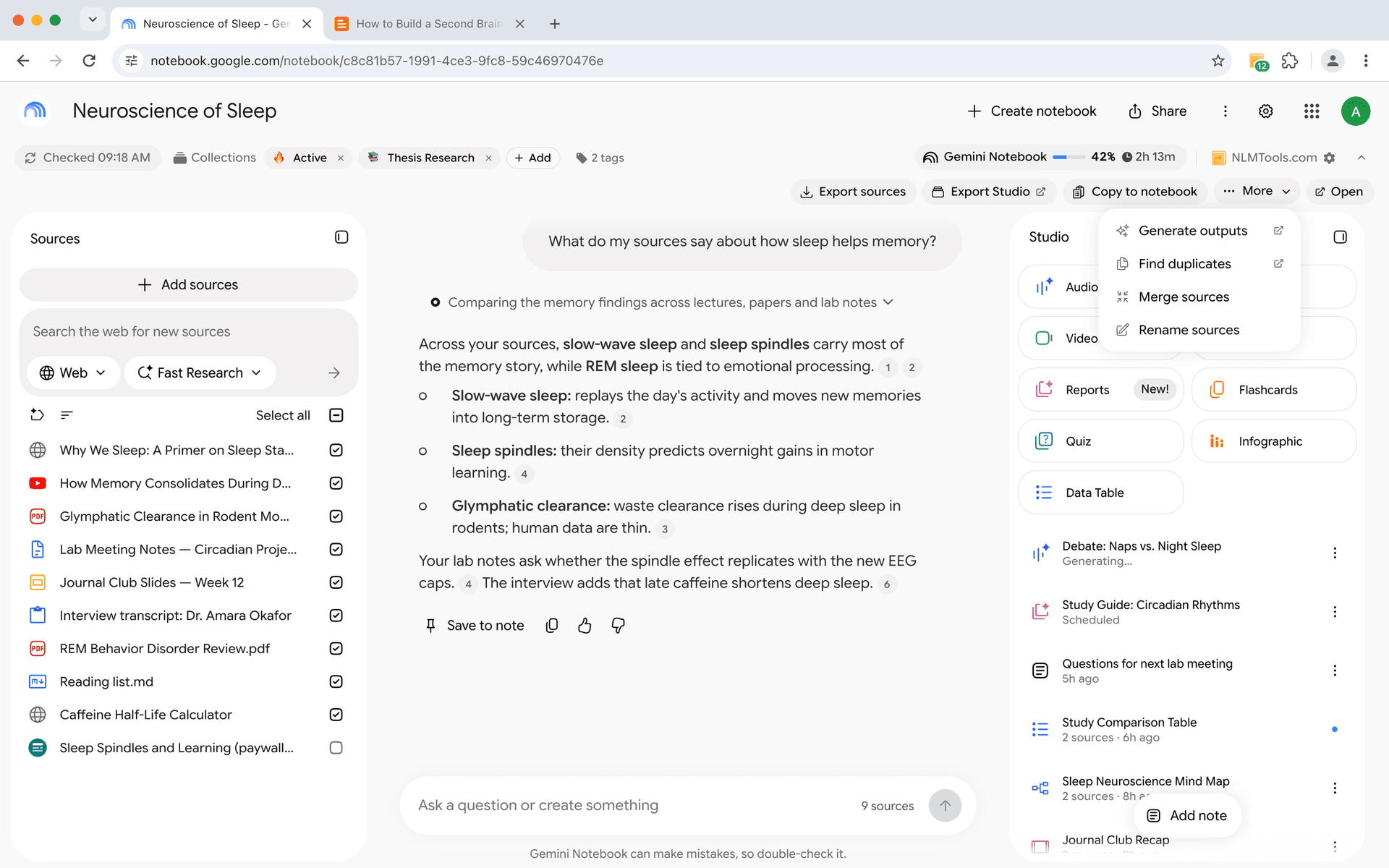
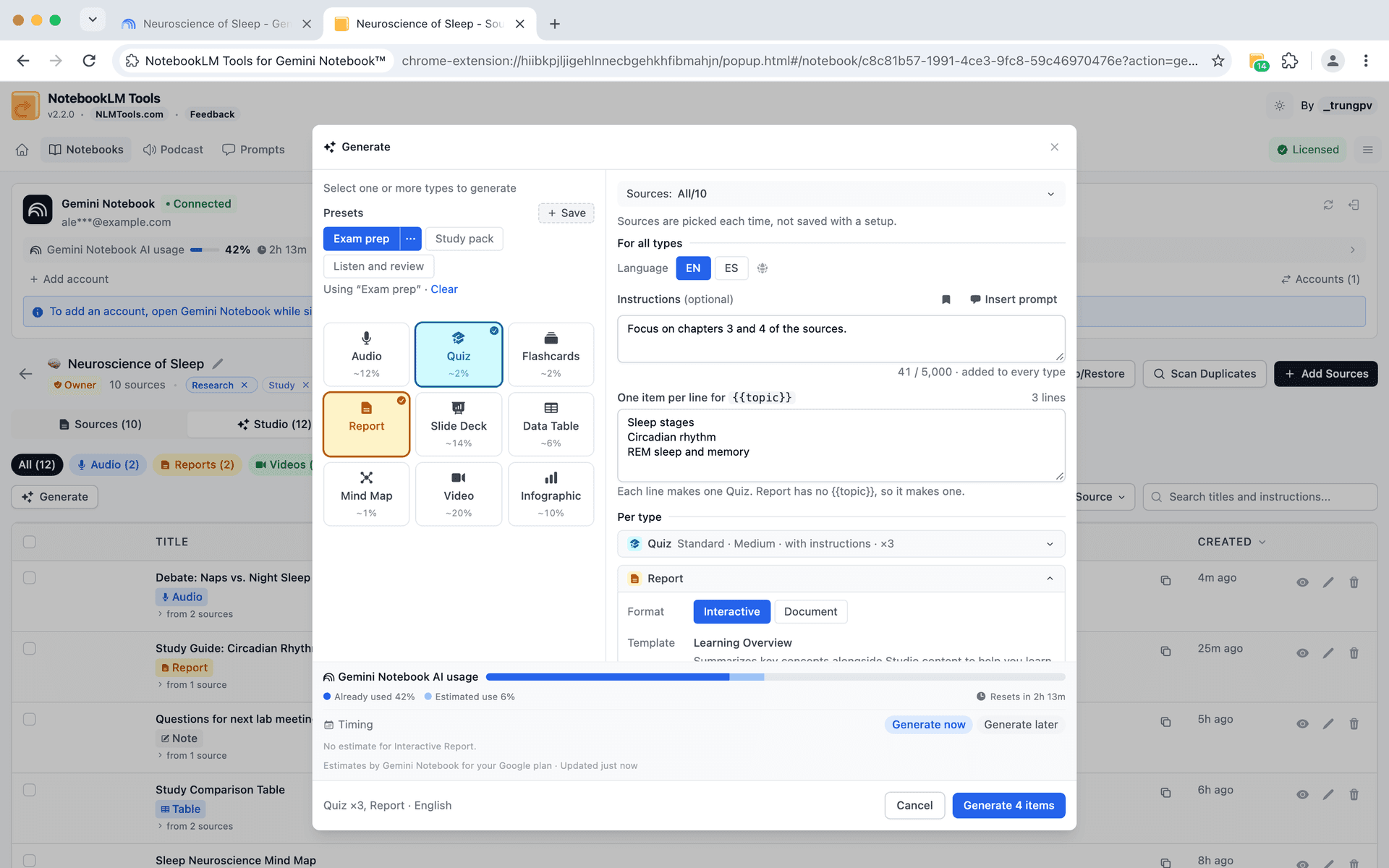
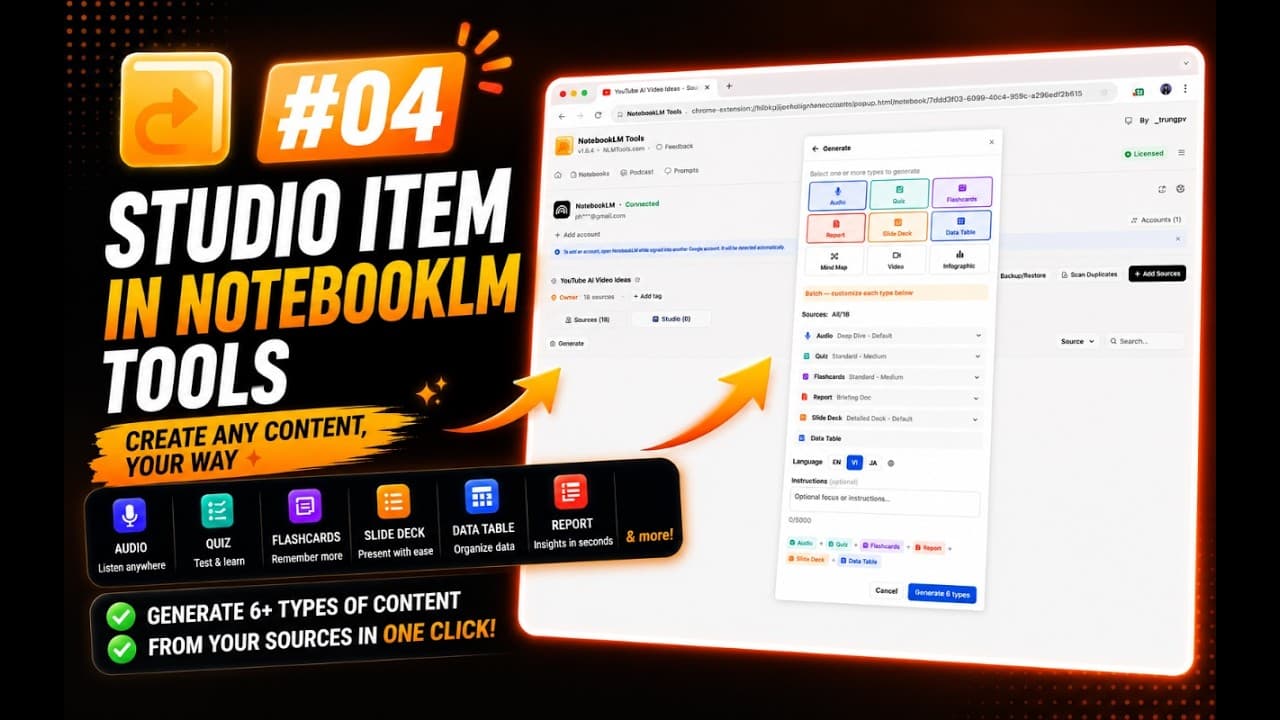
Generate quizzes, flashcards, slides, and more — right from the extension
Skip NotebookLM's studio UI. Generate any studio item type directly from the sidebar — customize the format, pick your sources, and set the language.
- Generate Audio, Quiz, Flashcards, Report, Slides, and 4 more types
- Customize each type: format, length, style, difficulty level
- Pick specific sources or use all sources in the notebook
- Override the output language for any generation
- Add custom instructions to guide the output
- Pro: generate a Quiz, Flashcards, Slide Deck, and Report at the same time — with live progress for each


Save prompts and reuse them with a slash command
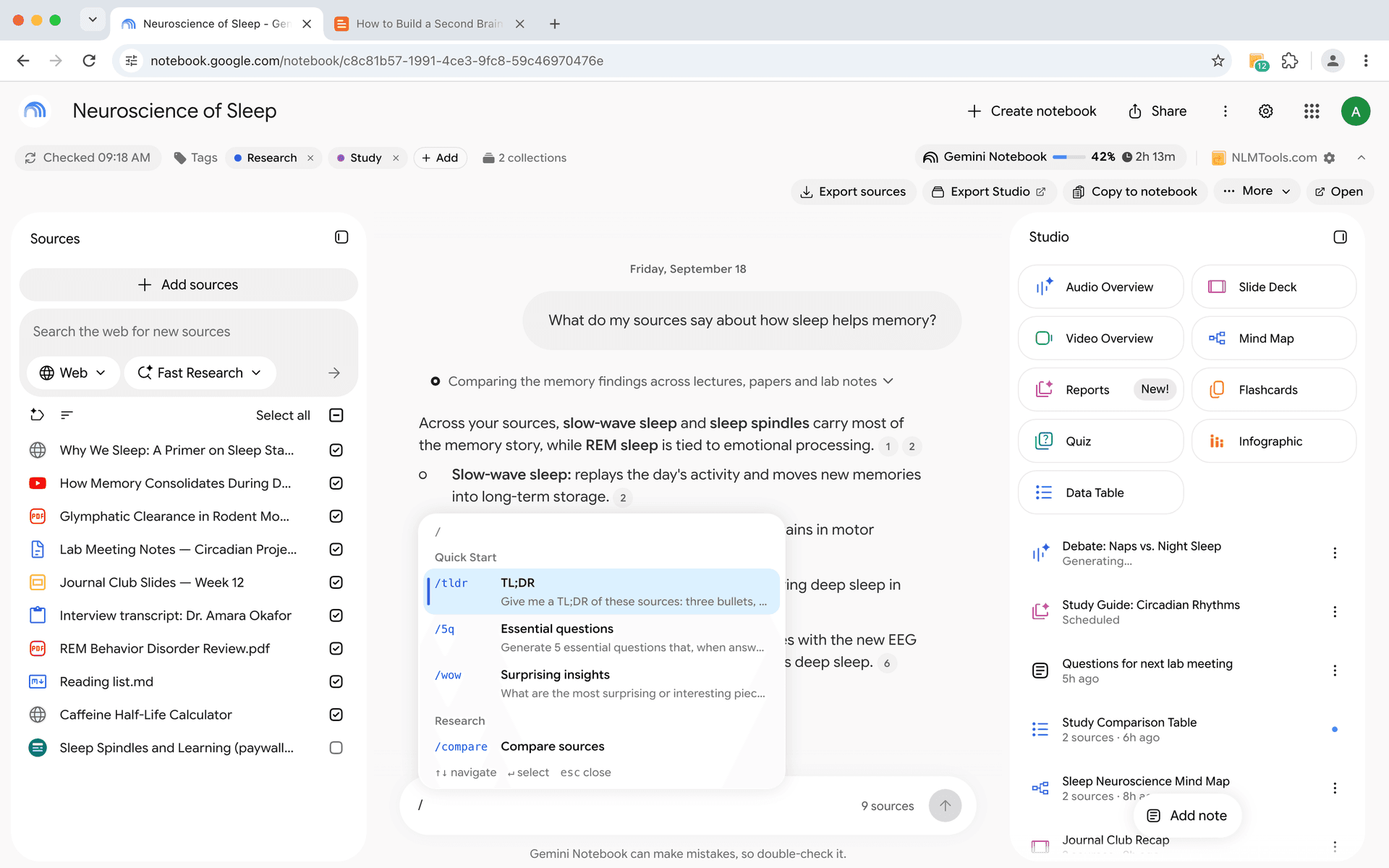
Stop retyping the same instructions. Save your best prompts, organize them by category, and trigger any prompt instantly by typing / in the chat.
- Save up to 100 custom prompts
- Trigger any prompt with /slash commands
- Organize prompts by category
- Edit and refine prompts over time
- Share prompt templates across notebooks
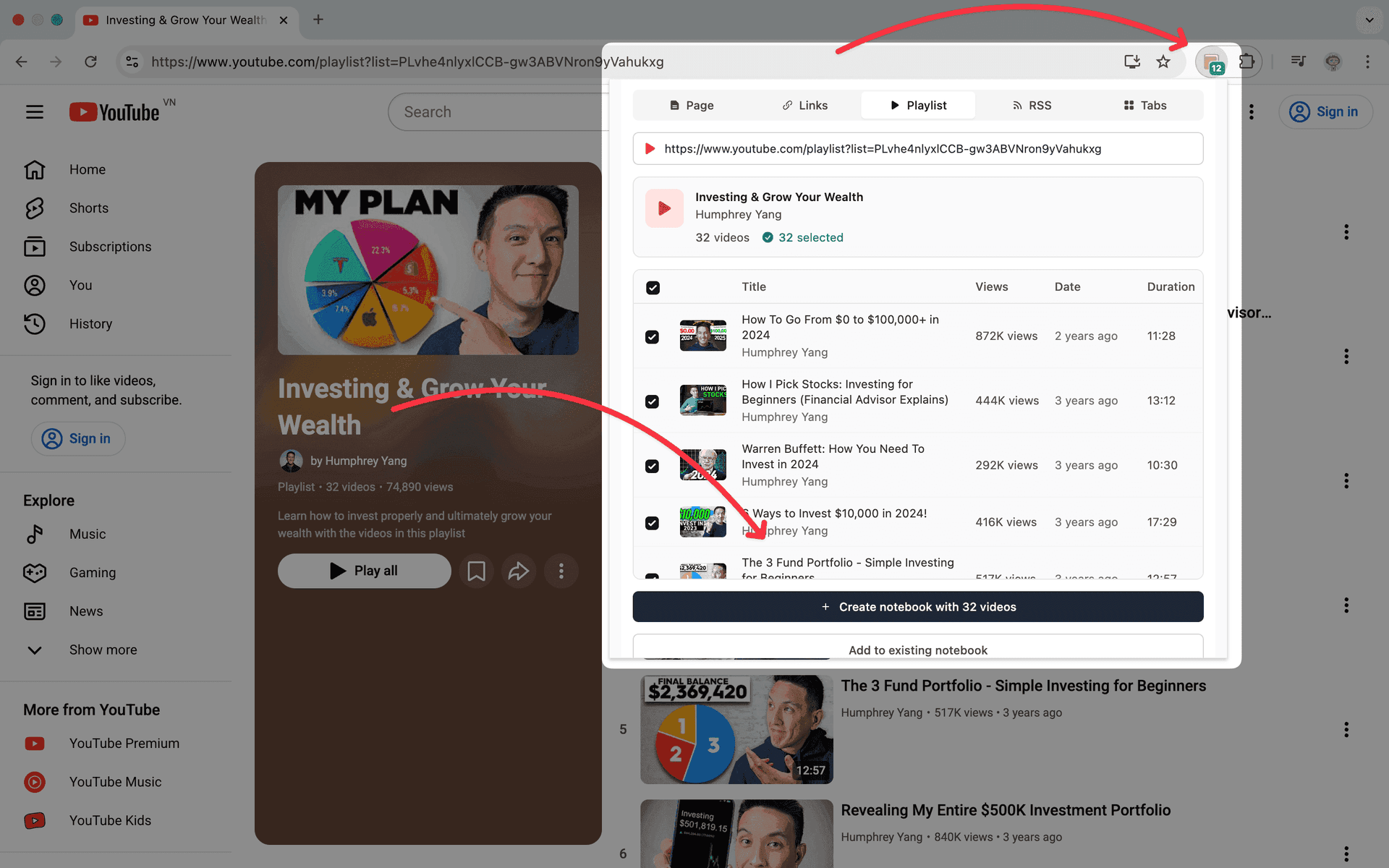
Bulk import YouTube, web pages, tabs, and RSS feeds
No more adding sources one at a time. Import text, links, YouTube videos, RSS feeds, and ZIP files in bulk to save time and streamline your research workflow.
- Paste multiple URLs or text snippets at once
- Import entire YouTube playlists
- Subscribe to RSS feeds for automatic updates
- Upload ZIP files with multiple documents
- 1-click refresh for Google Drive sources
- Import all open browser tabs in one click
- 'Also Generate' — trigger studio generation while adding sources

Generate a full study set in one click
Pro users create Quiz + Flashcards + Slides + Report simultaneously. One click, live progress, all done while you keep working.

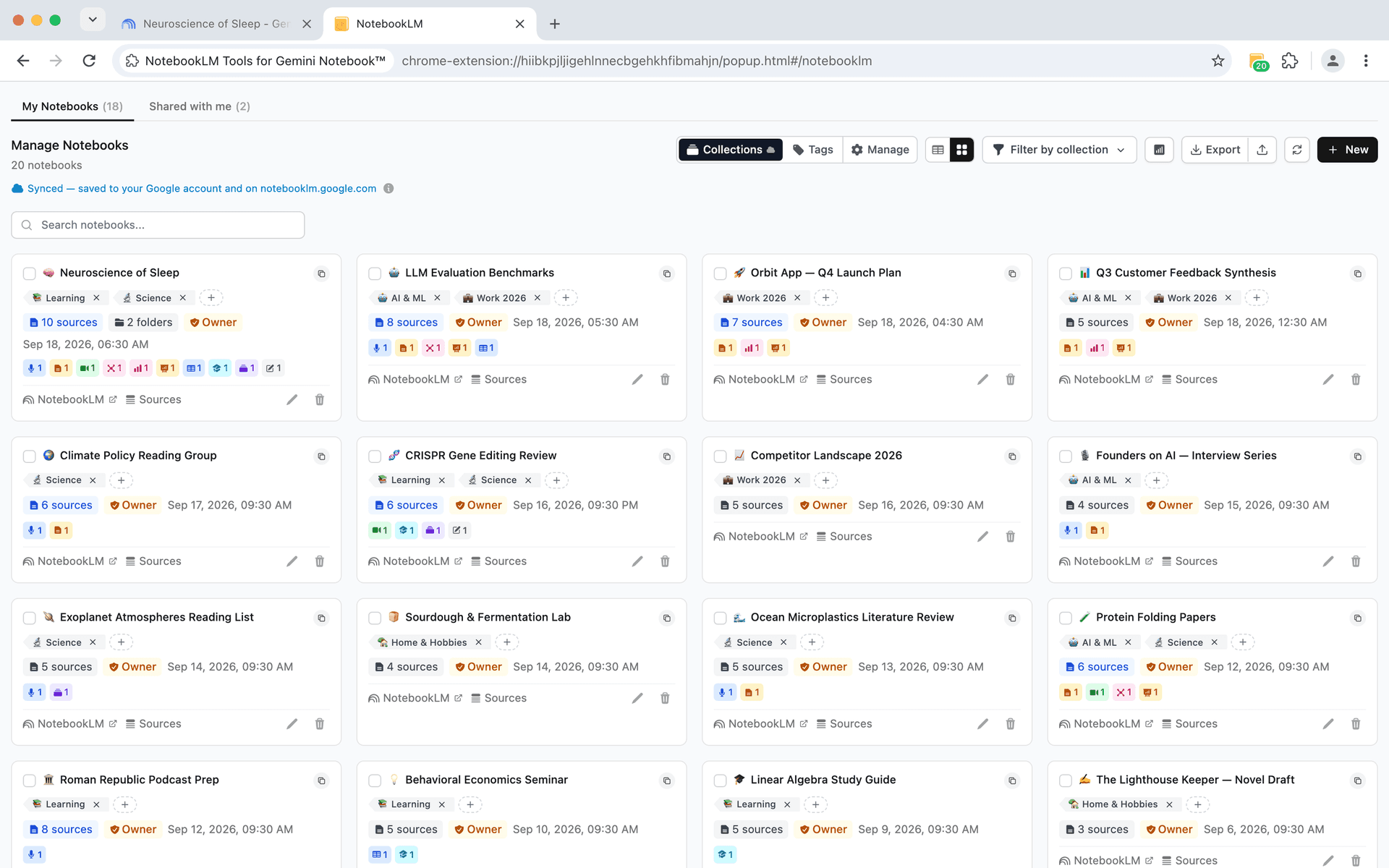
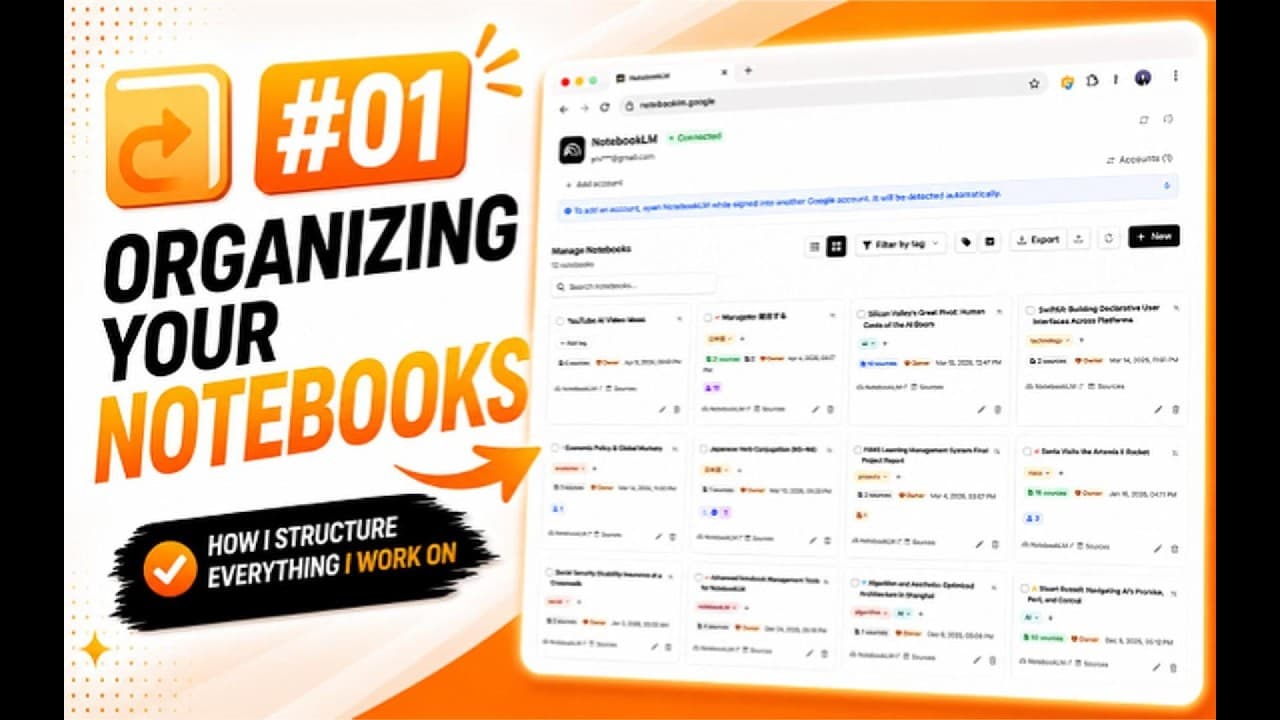
Grid view, table view, search, and sort — for all your notebooks
When you have dozens of notebooks, a flat list does not cut it. Switch between grid and table views, sort by date or title, search instantly, and see permission badges and source counts at a glance.
- Grid and table view for your notebook list
- Sort by title, date created, or last modified
- Search notebooks instantly by name
- Permission badges show Owner, Editor, or Viewer role
- Source count indicators on every notebook card
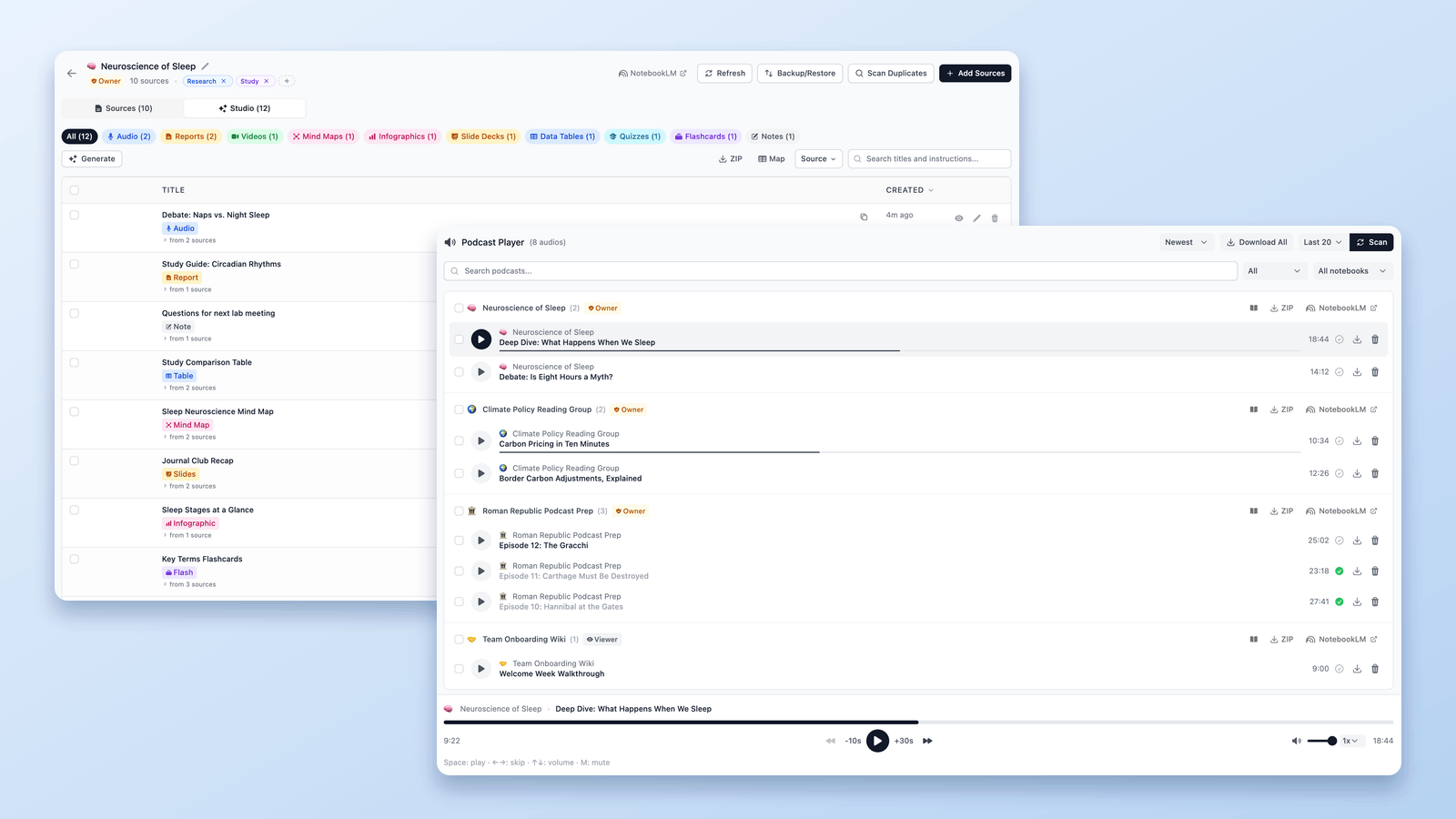
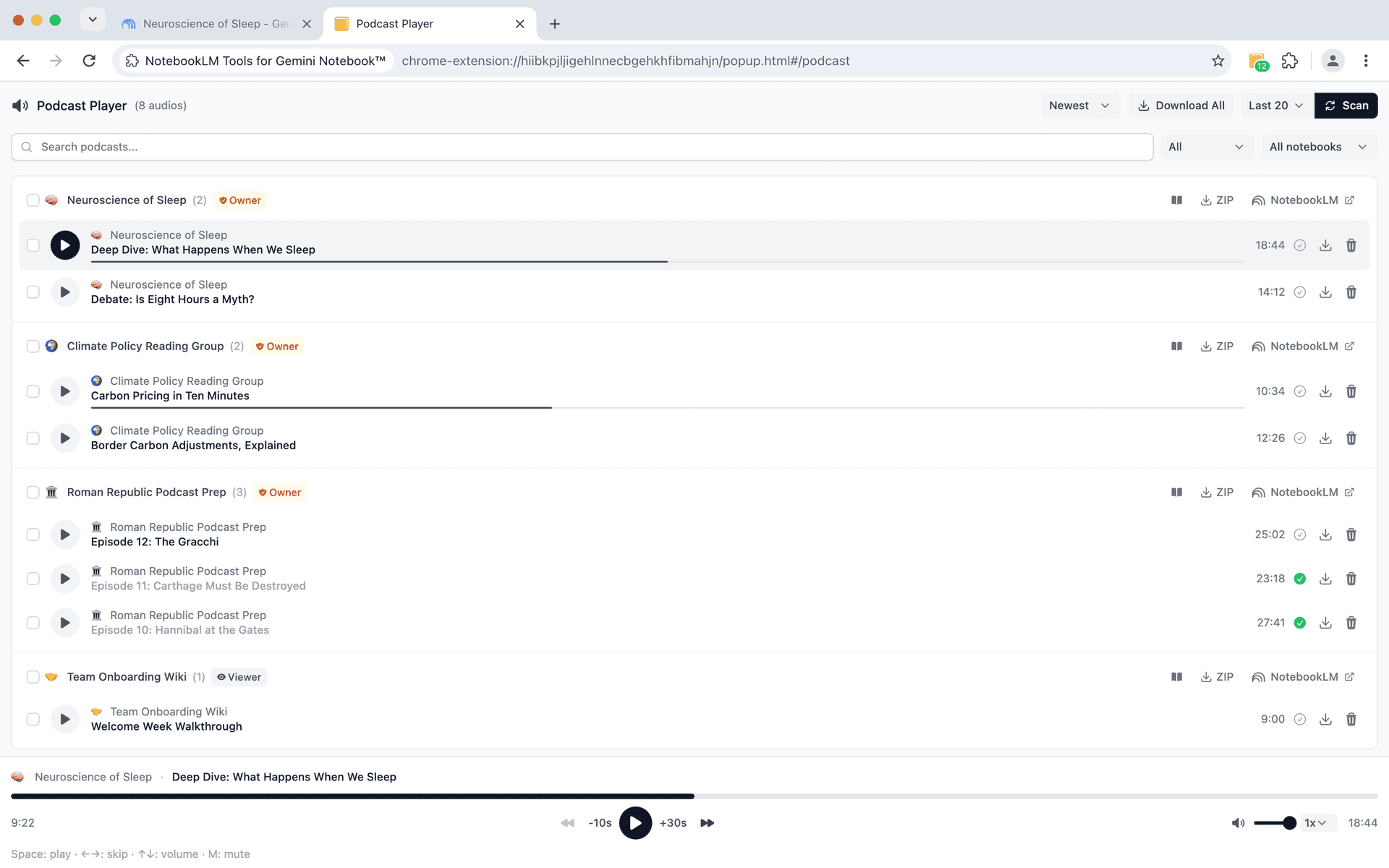
Play, queue, download, and manage every Audio Overview
Scan your notebooks for Audio Overviews and play them in a persistent player. Create playlists, skip already-listened episodes, download MP3s or entire collections as ZIP, and pick up right where you left off.
- Scan all notebooks for Audio Overviews automatically
- Now Playing bar with persistent playback across pages
- Skip-listened navigation and auto-mark as listened
- Download individual MP3s or bulk download as ZIP
- Bulk selection for playlist management

Multi-account, backups, duplicate detection, and more
Power features that save time and protect your work. All free — Go Pro for a distraction-free workspace and early access to new features every week.
Multi-account support
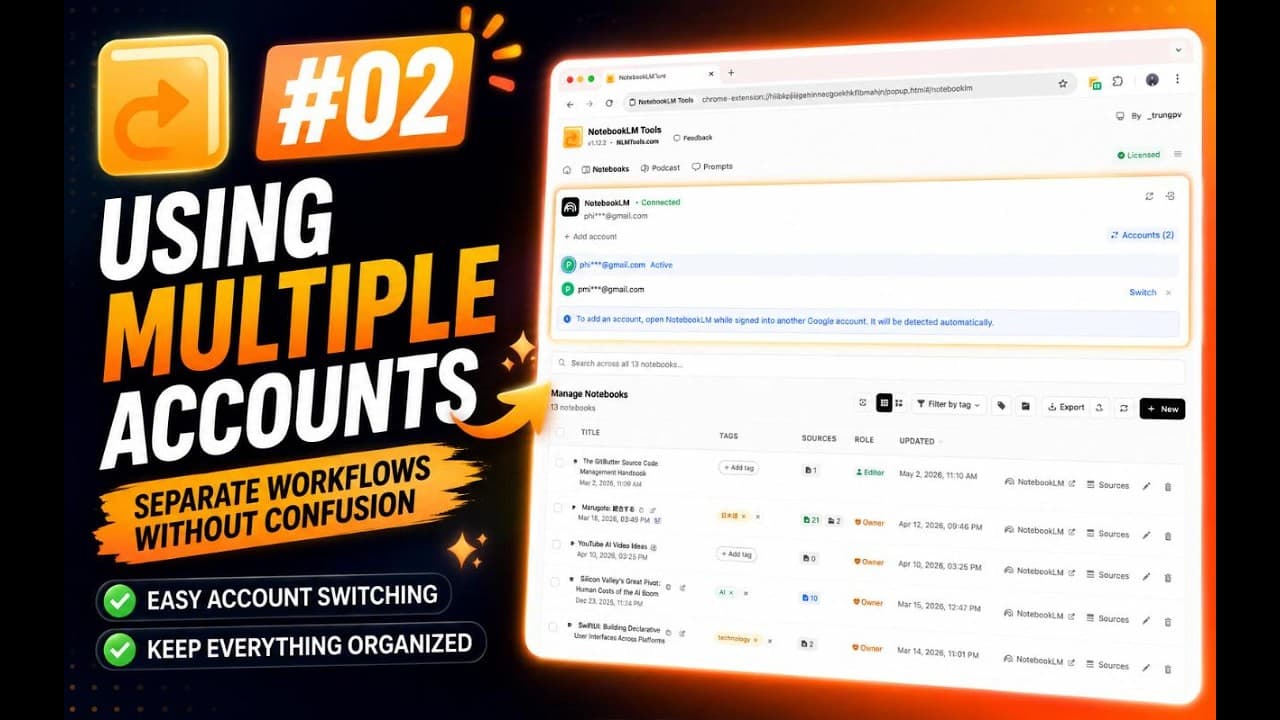
Connect multiple Google accounts and switch with one click. Color-coded avatars show which account you are using.
Backup & restore
Export your tags, prompts, folders, and settings as JSON or ZIP. Restore selectively when you switch devices or browsers.
Duplicate source scanner
Fast scan by title and URL, or deep scan by content similarity. Set your own threshold to catch near-duplicates.

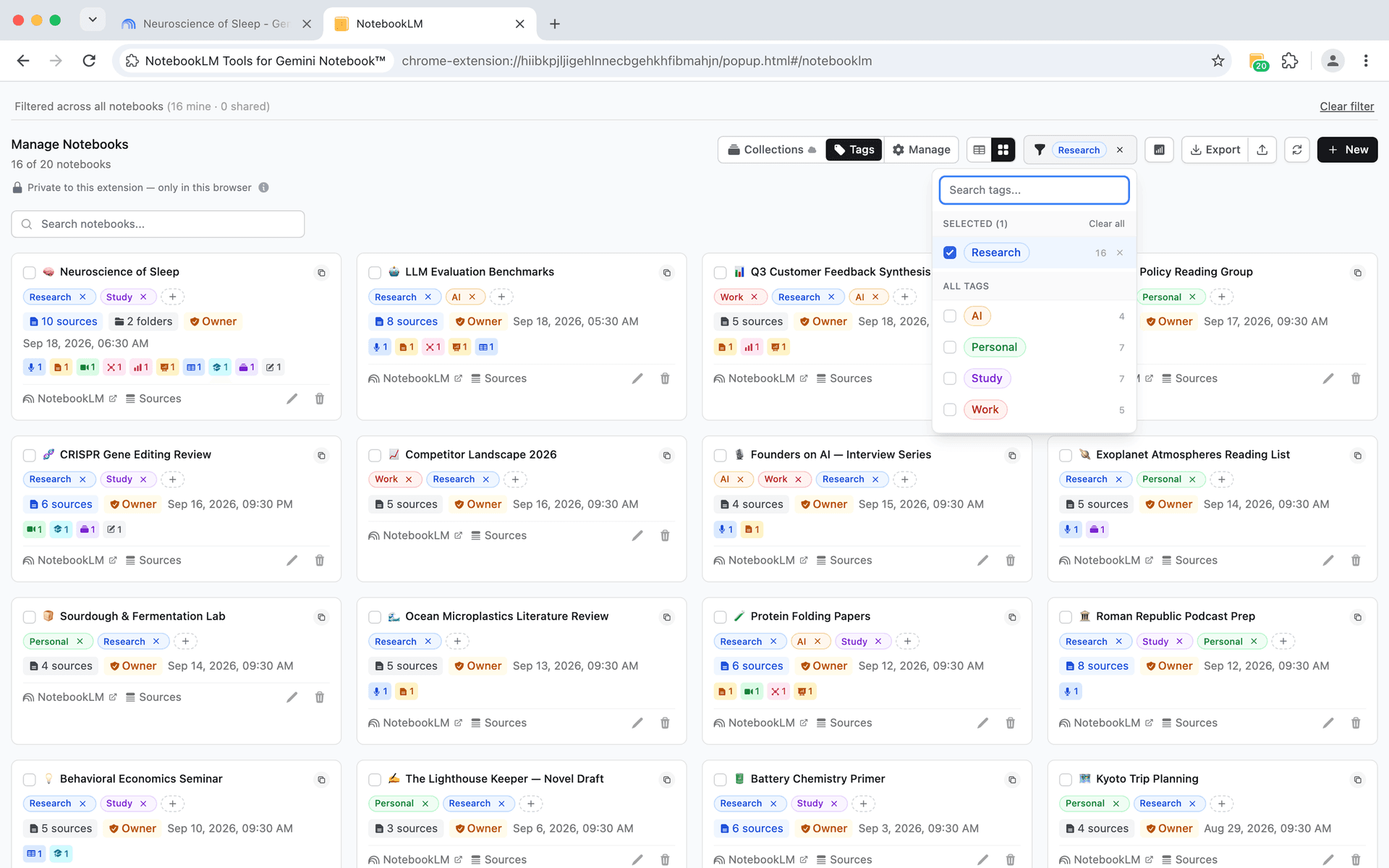
Find any notebook in 2 seconds
Create custom tags with colors to categorize your notebooks. Filter, search, and manage notebooks with bulk operations for effortless organization.
- Create tags with custom colors
- Filter notebooks by multiple tags
- Bulk tag operations
- Tag usage counts show how many notebooks use each tag
- Quick-find: search within your tag list
- 'Untagged' filter and 'Clear all' for fast filtering
What the community is saying
How To Scale NotebookLM
forbes.com話題のAIツール、グーグル「NotebookLM」をもっと活用する方法
forbesjapan.com
Do NOT use NotebookLM without this (it's free)
Xavier Mitjana
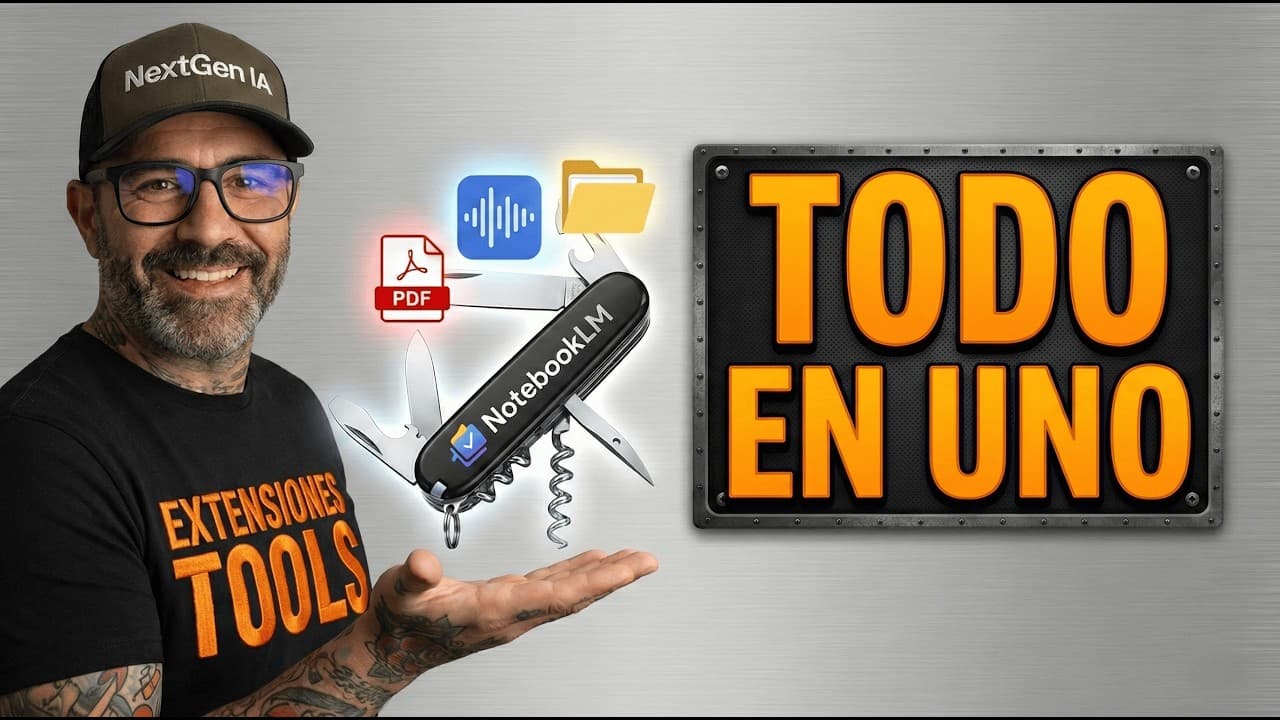
Google NotebookLM: The Trick to Have Folders and Export Everything
NextGen IA Hub
NotebookLM Ganha SUPERPODERES: Instale Essa Extensão AGORA!
Adriano Santos da silva
Melhor extensão para o NotebookLM
Professor Rafael Sampaio
Your Favorite AI, Just Better: Discover NotebookLM Tools now!
Guia do NotebookLM
Extensión BRUTAL para NotebookLM (y gratis)
Ernesto IbáñezWatch the tutorials
Learn how to install and use NotebookLM Tools with these guides.
Frequently Asked Questions
Join 80,000+ users who organized their NotebookLM
Free to use. No signup. No credit card. Just install and go.
Works with Chrome, Firefox, Edge, Brave, Arc, and Opera
View pricing plans